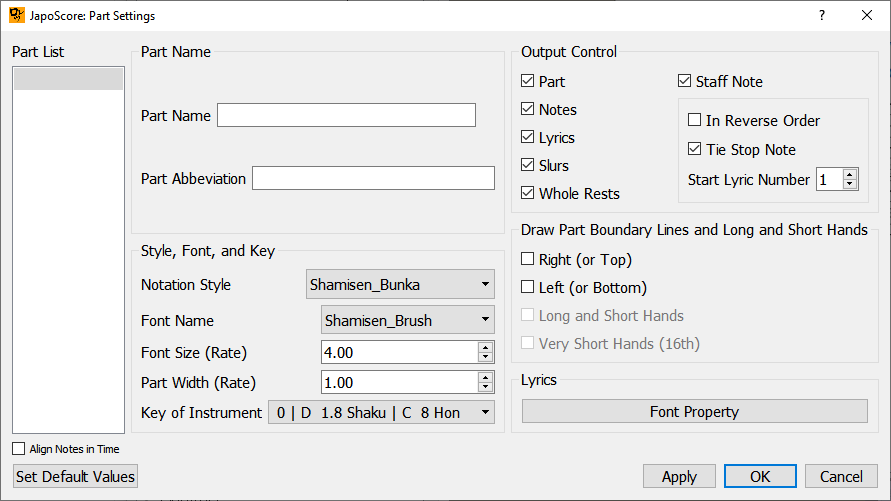
If I understand correctly, this software was initially developed for Shakuhachi notation and then expanded to koto and shamisen. It produces notation mainly in the Japanese traditional right-to-left vertical format, however I think bunkafu might be an option based on a screenshot on the back of the catalog: http://japoscore.fluteywinds.com/wp-content/uploads/2019/06/JapoScoreFlyerBack.pdf
I try to numerise all the handwritted tab sheets I did, Japoscore is quit nice but I have a problem.
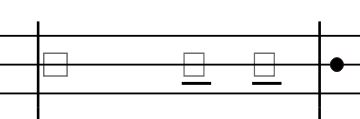
When I import a file from MuseScore, the notes appear has a square (which means that I don’t have the good font).
I installed the japoscorestaff font provided but it doesn’t work.
I searched for solutions but found nothing.
If someone has a solution, I would be glad to know it.
Or if someone has a better solution than MuseScore/JapoScore to make tab sheets. I tried Lilypond but I don’t really understand how it work, it seems that you have to “code” or something, which is something I don’t want to spent to much time. (I wish Karl still has his solution " Shamisen Composer" online)
when I use only musescore I don’t have the tabs or the shamisen, even when I select shamisen tab. That’s why try to use plugins.
A question about musescore :
Do you manage to add indications as sukui,suberi, hajiki, etc… in musescore?
Hello David. You must try to find in the forum the good version of musescore. Everything is ok for me. All the text lines allow you to add hajiki, suberi, etc…
If the bunka is rendering as squares it’s because the notes are outside of JapoScore’s recognized range for shamisen. You will need to transpose your original score up or down in Musescore and re-export the file.
Note that when you select “shamisen” from the instrument list in Musescore it produces notation with an octave treble clef. In my experience a score needed to be shifted up one or two octaves for JapoScore to render TAB.